PICKEY
Your photos, one tap from any chat.
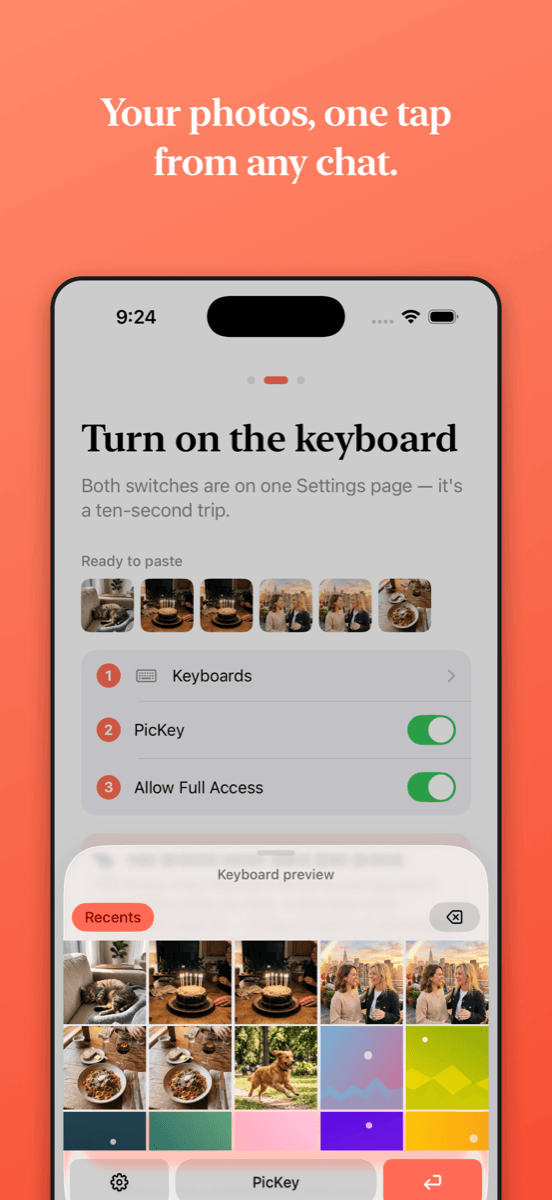
PicKey is a keyboard that shows your photo library. Tap a photo — it's copied on your device — then paste it into any chat.
PicKey contains no networking code of its own. Not "we don't collect data" — there is nothing in it that sends. No analytics, no accounts, no servers. Your photos never leave the device through PicKey.
Apple's own frameworks can still reach the network. Tapping a photo that lives in iCloud, for example, asks Apple's Photos framework to download it to your phone, and Pro purchases go through the App Store.
SETUP, TROUBLESHOOTING, AND PRIVACY.
How do I set up the keyboard?
- Open Settings → General → Keyboard → Keyboards.
- Tap "Add New Keyboard…" and choose PicKey.
- Tap PicKey in the list and turn on "Allow Full Access."
- Open any app with a text field, tap the globe icon to switch to PicKey, and allow photo access when prompted.
Why does iOS warn about "Full Access"?
That warning is Apple's standard notice for every third-party keyboard on iOS — it isn't specific to PicKey. Full Access does lift the keyboard extension's network restriction, but PicKey has no networking code of its own to use it, and PicKey never uploads your photos or your typing. Apple's frameworks can still use the connection: tapping a photo stored in iCloud, for example, has Apple's Photos framework download it to your phone so it can be copied.
How do I restore my Pro purchase?
Open the PicKey app → Pro → Restore Purchases. Purchases are tied to your Apple ID and handled entirely by Apple.
Where's the privacy policy?
Read it here: offln.dev/pickey/privacy